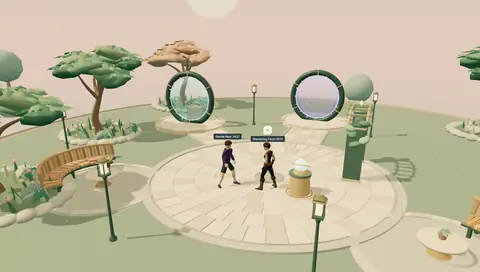
ONE ACCOUNT. EVERY WORLD.
 Continue with Google
 Continue with Discord
01 / AUTHENTICATION
Sign-in. Sorted.
Social logins, email sign-up, and password resets are handled. Welcome players with their existing WorldsBay account.
BUILD WITH WORLDSBAY
Make the game you want to make. Connect it to a network of players, shared characters, and new places to discover.

$ npm install @worldsbay/api// Typed clients for browser and serverimport { WorldsBay } from '@worldsbay/api';Social logins, email sign-up, and password resets are handled. Welcome players with their existing WorldsBay account.
Mix and match hair, outfits, and accessories. Every character comes rigged and ready to walk, run, and wave.
Try the character builder ↗Connect through portals, get discovered in the world directory, and give people new places to explore together.
CHOOSE YOUR STARTING POINT
Browse the code, read the docs, and make it your own.
The GitHub starter includes multiplayer movement, interactions, portals, and character rendering.
git clone https://github.com/worldsbay/developers.git my-world
cd my-world
npm ci
npm run buildAdd the official API clients to your existing project. Follow the server integration guide to connect players and worlds.
npm install @worldsbay/apiWHEN YOU’RE READY
Host your world on HTTPS, register its address, and verify ownership. Your next visitors can find you through WorldsBay.
Node.js 22.12+ for the example world · A saved WorldsBay account · Up to three worlds in the public alpha
Give each player their own progression, preferences and world saves across your group. Define a collection, choose which worlds can read or write, and try the access rules with sample players in your builder desk.
New worlds start with No access. Saved updates appear immediately in the writing world; other worlds refresh on their next read. Conflicting saves are reported instead of silently overwriting progress.
Manage collections and world access →Player data API and testing guide ↗ · Live saves start with one enabled alpha test group.